For coaches
How do I share video clips with my team?
Post YouTube or Instagram links in your team’s Film room, tag what each one is about, and pin the one you want everyone to watch to the top of the team page.
-
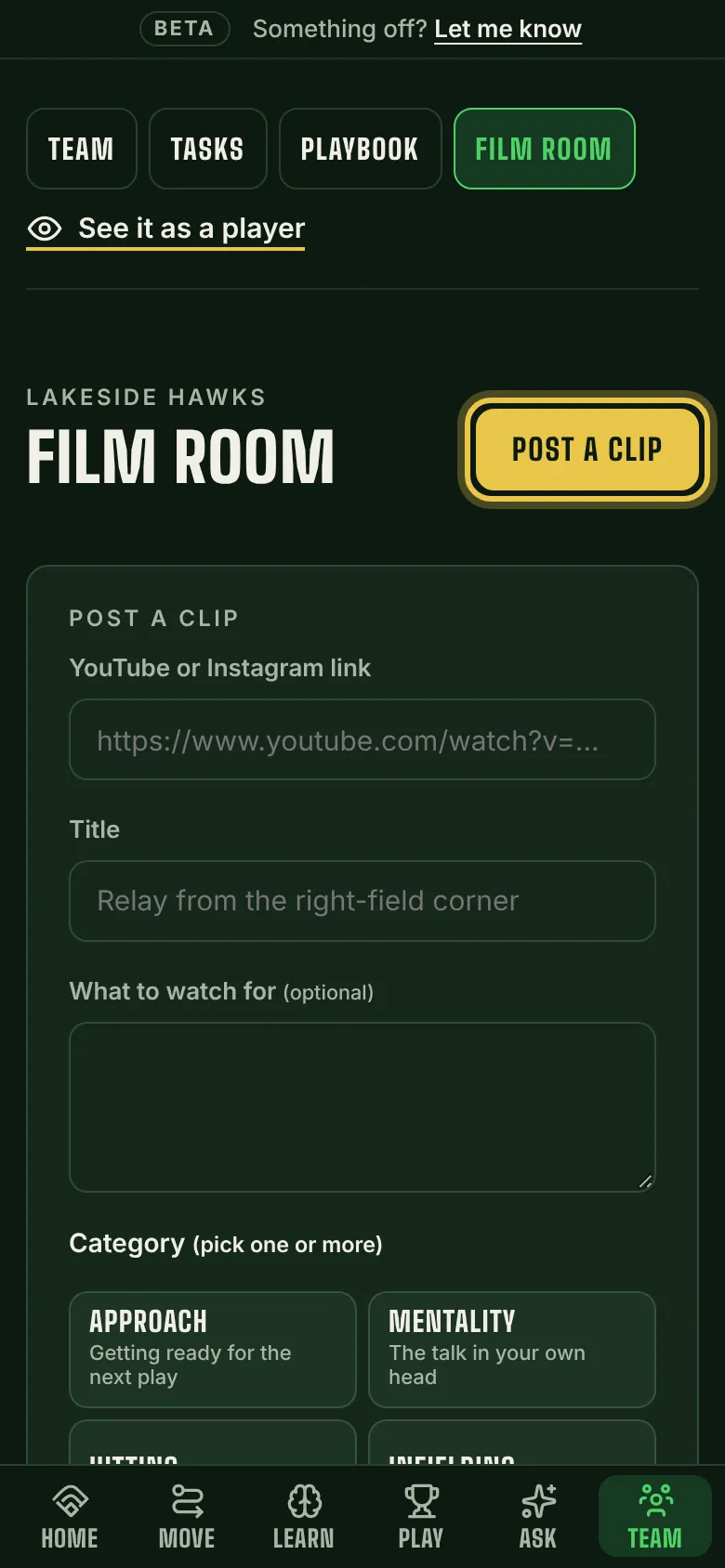
Step 1: Open the Film room and tap Post a clip
On your team page, tap Film room, then Post a clip.
-
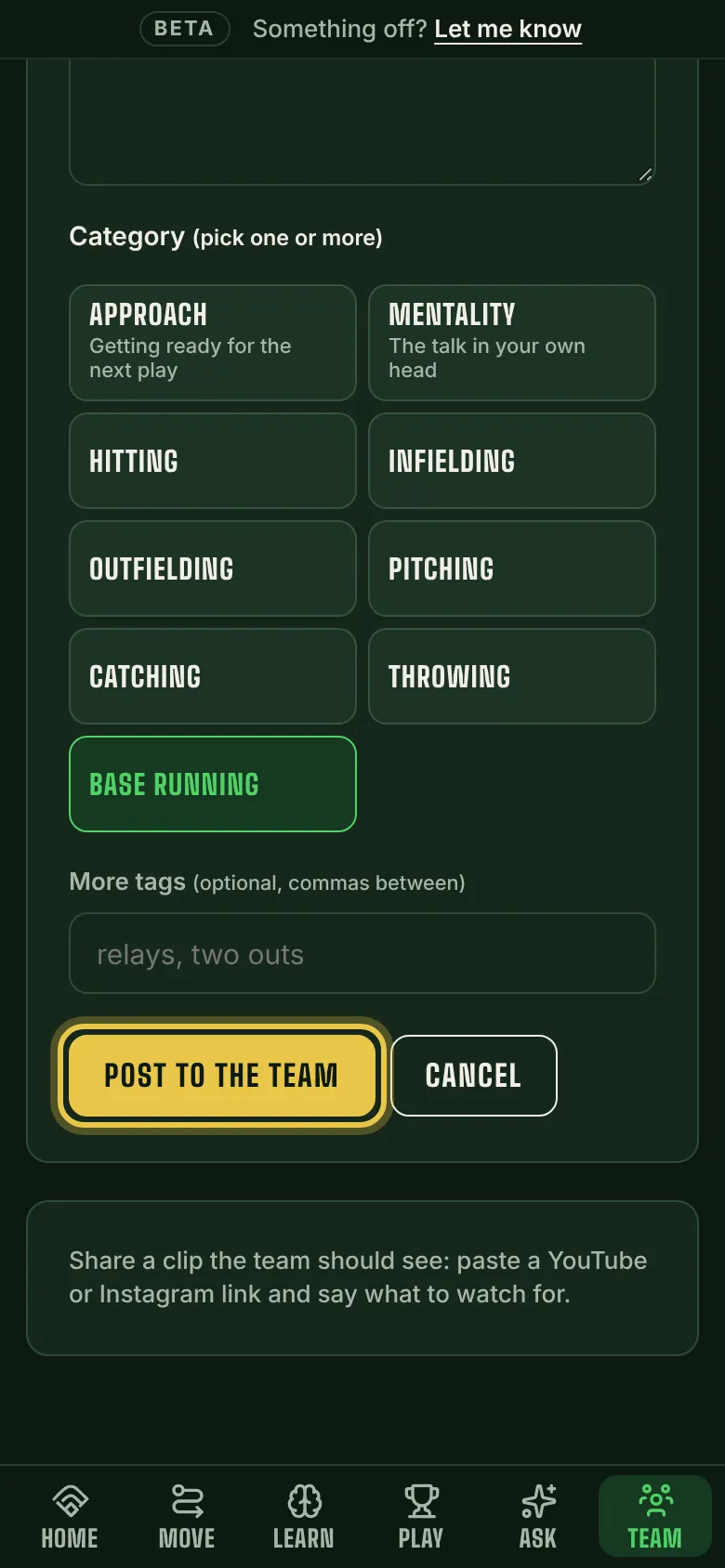
Step 2: Paste the link and tag it
Paste a YouTube or Instagram link, give it a title and, if you like, a note on what to watch for. Pick at least one category (Approach, Hitting, Base running and so on). Tap Post to the team.
-
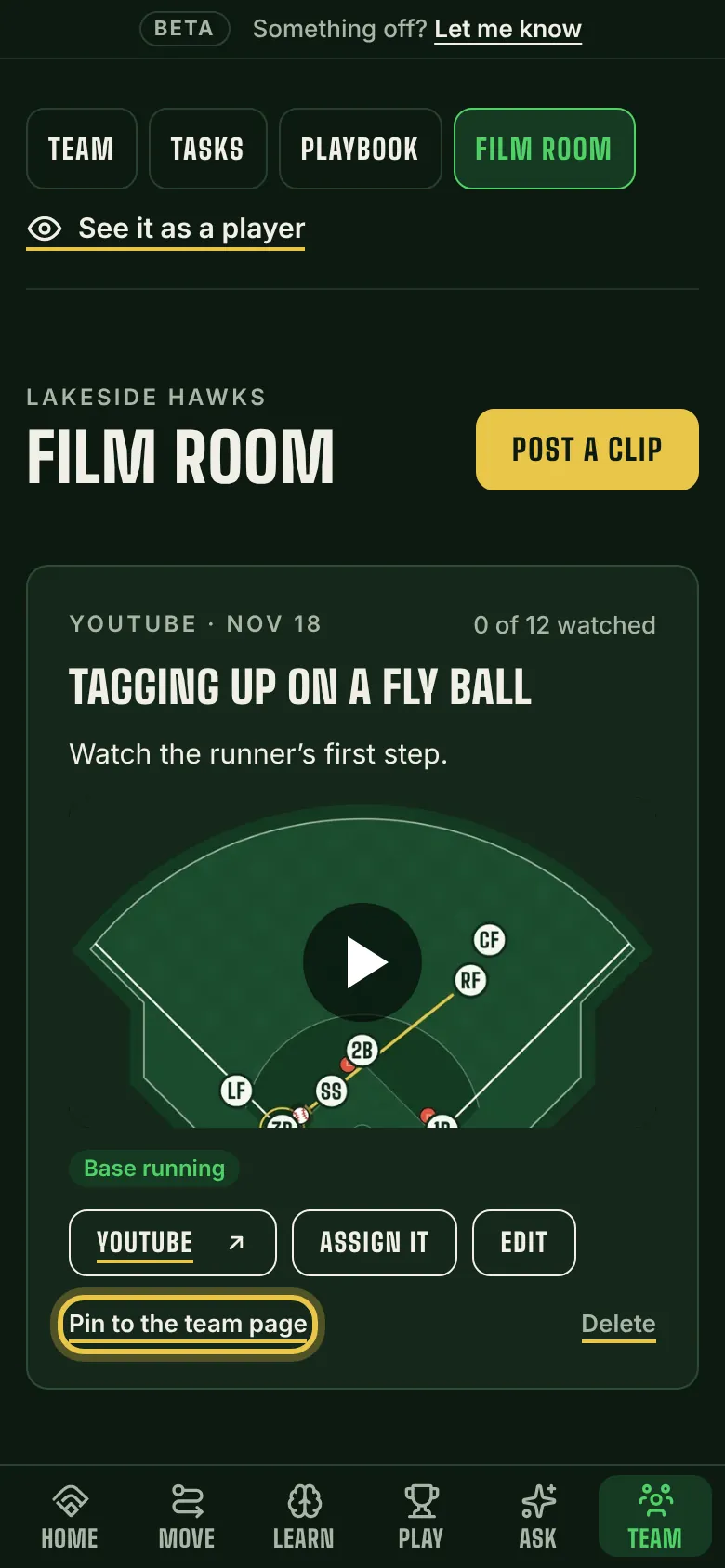
Step 3: Pin it, or assign it
Every clip is ready to play right in the Film room. Tap Pin to the team page to put it in front of everyone, or Assign it to make it a task.
-
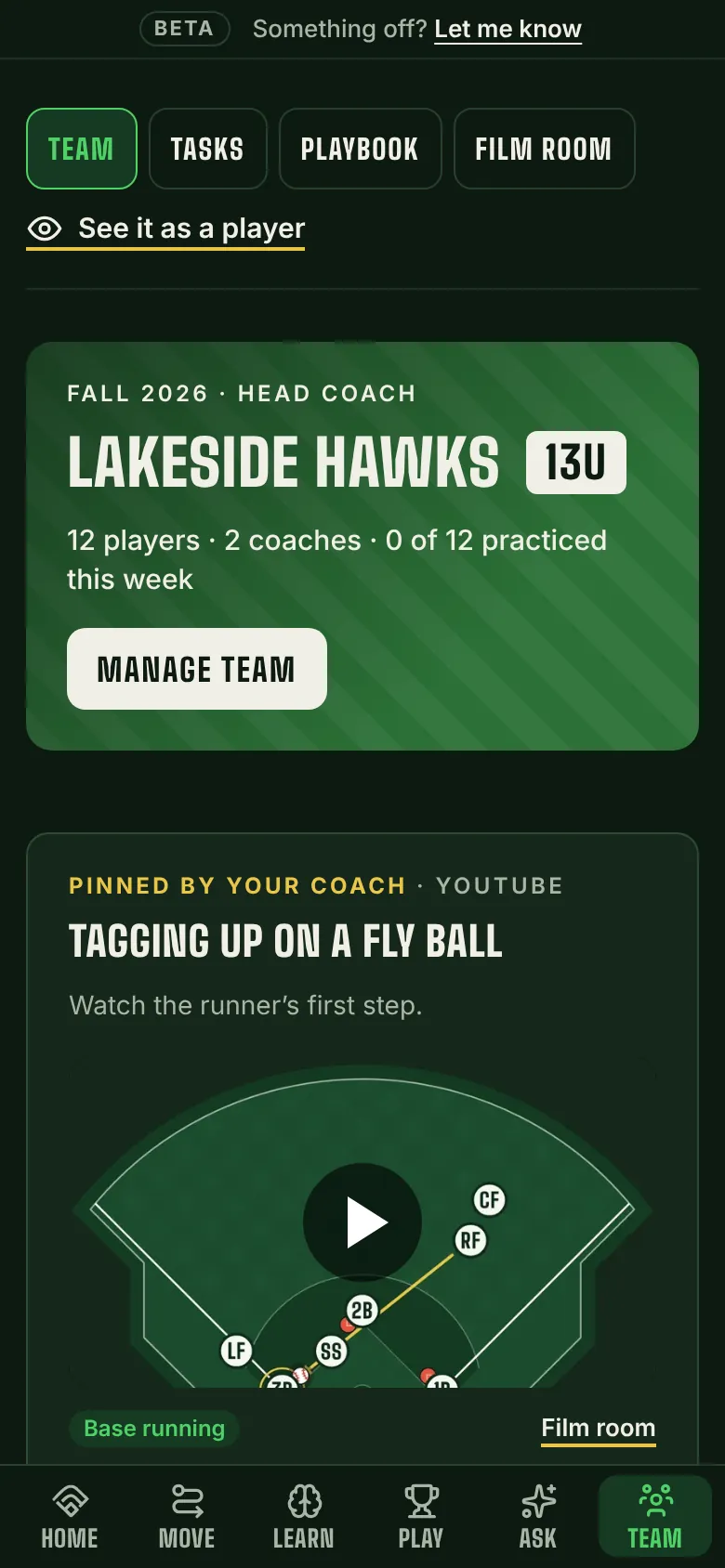
Step 4: It heads your team page
The clip you pinned last sits at the top of the team page, ready to play.
Good to know
- On an Android phone, share a YouTube link straight to the installed app and the Film room form opens, filled in.
- Players can search the Film room and filter by category.
More how-tos
- How do I assign work to my team before practice?On your team page, tap New task, pick what it is (a play, a lesson, a game, a question or a clip), set a due date and add a note. It goes on every player’s start page.
- How do I build my team playbook?Your Playbook holds two things: handbook pages (your signs, rules and how you run things) and the plays you made your own. Players read both on the team page.
- How do I see what my coach assigned?Your team page shows what your coach assigned under From your coach. Do each one in the app (watch the play, finish the lesson, play the game) and it’s marked done.
Completely free
Open your team page
Works in any phone or computer browser. Nothing to install.