For coaches
How do I make a play my own?
In your team’s Playbook, tap Create a play, set the scene, and say what your team does differently. Playmaker redraws every changed job, and your players see your version.
-
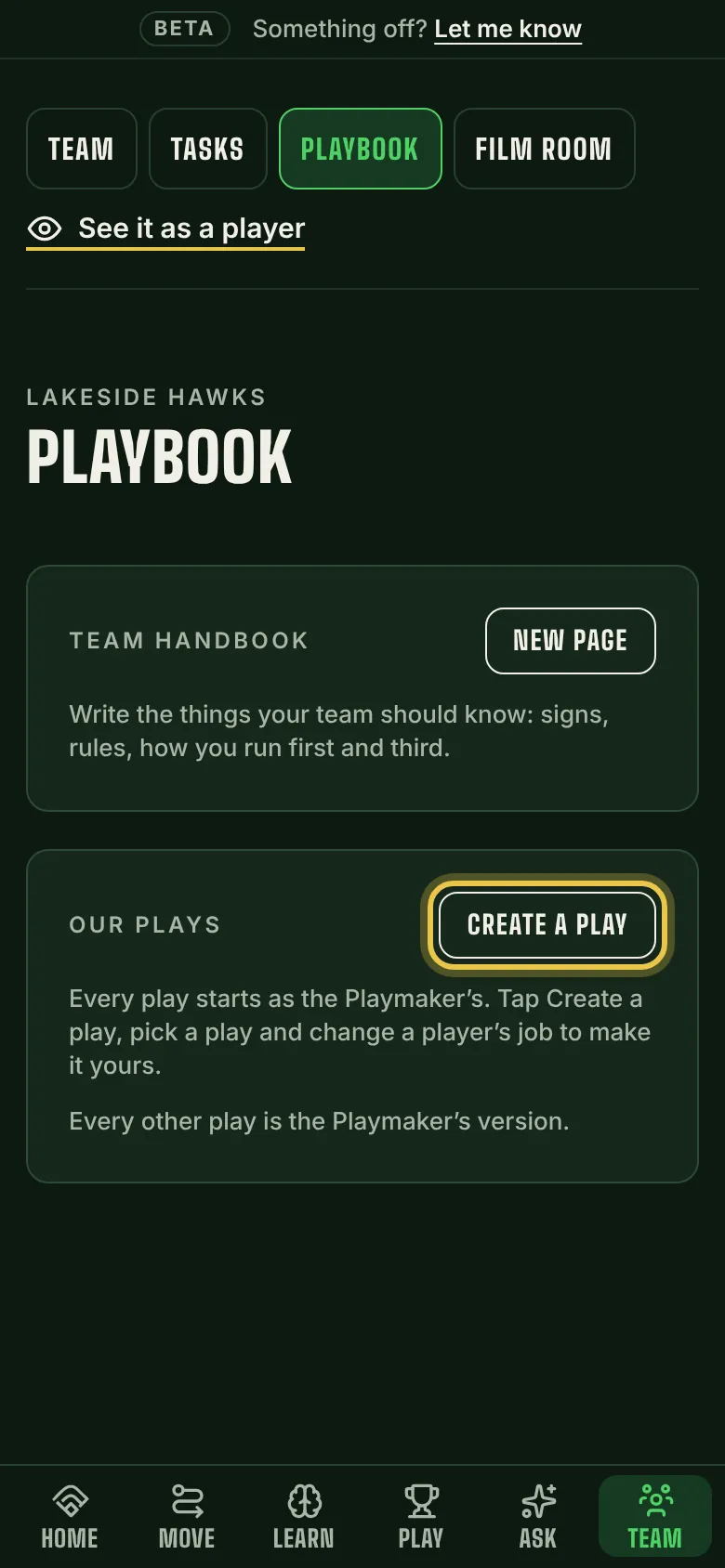
Step 1: Open your Playbook and tap Create a play
On your team page, tap Playbook, then Create a play under Our plays.
-
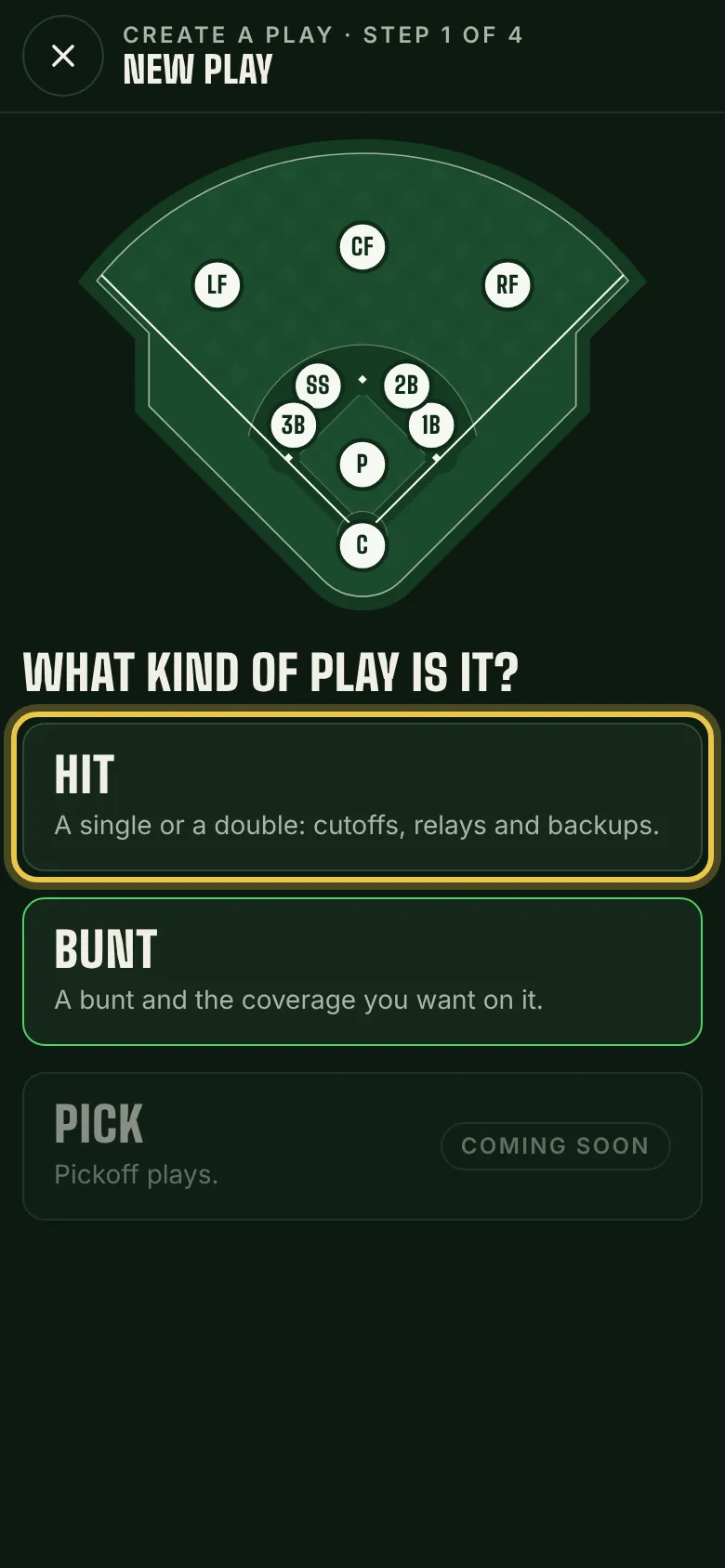
Step 2: Pick the kind of play
Tap Hit for singles and doubles (cutoffs, relays and backups) or Bunt for bunt coverage.
-
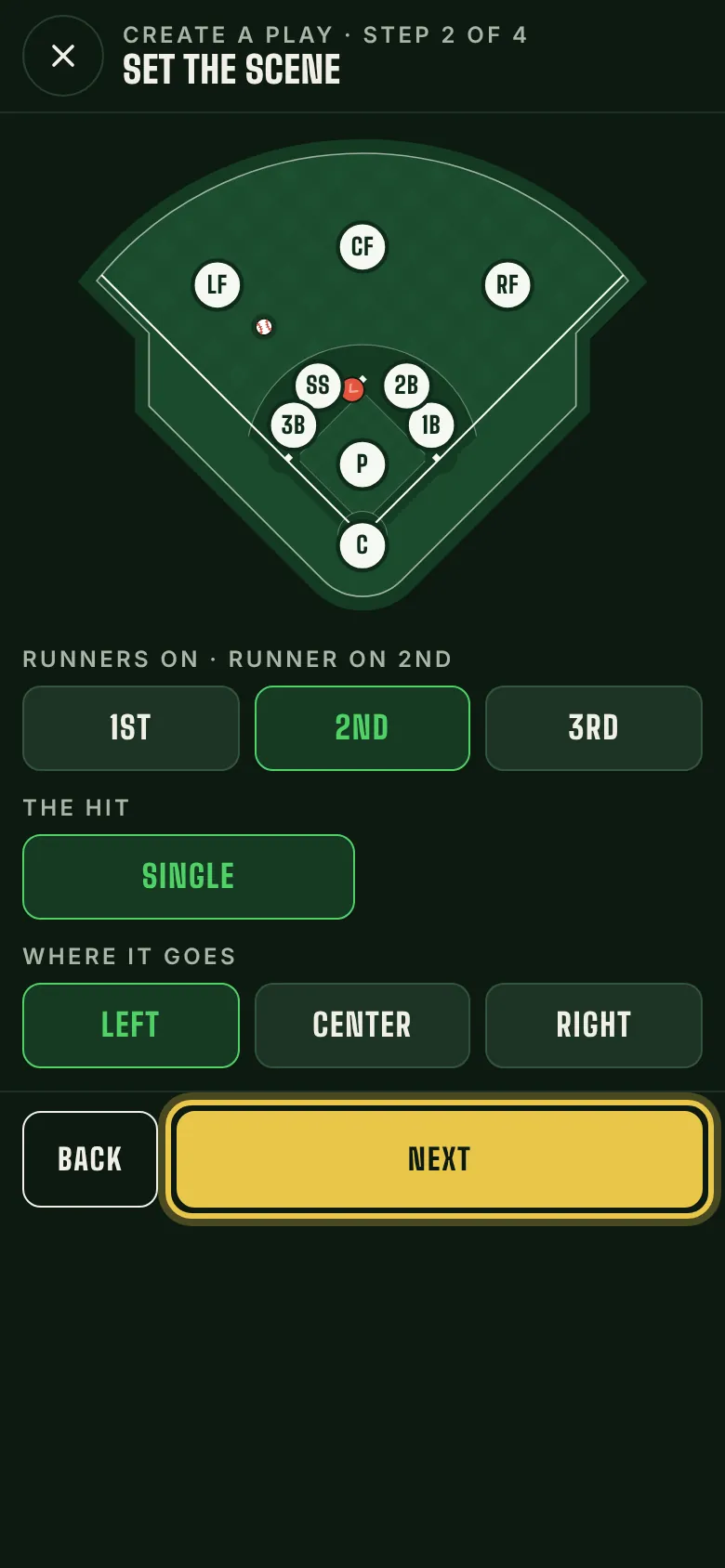
Step 3: Set the scene
Pick the runners, the hit and where it goes. Here: a runner on second, single to left. Tap Next.
-
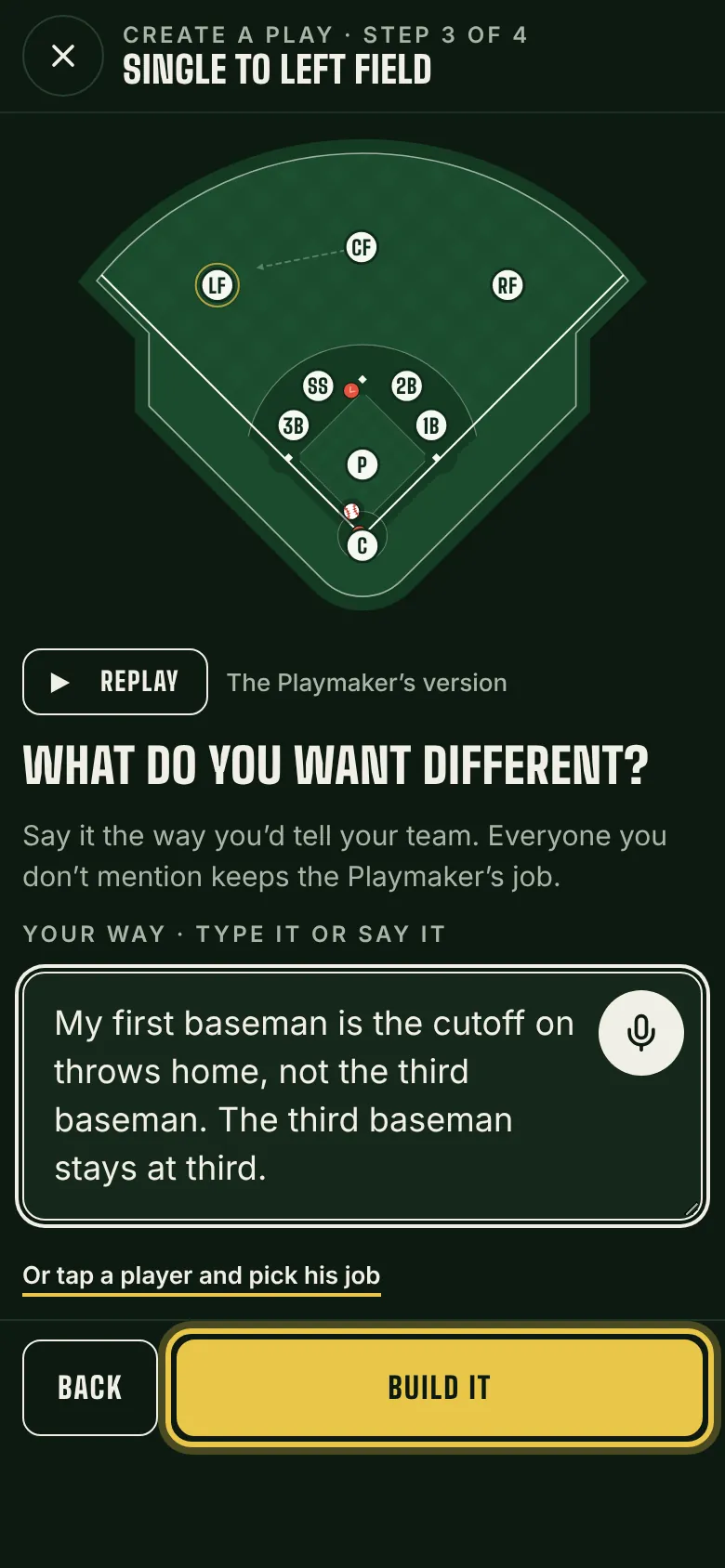
Step 4: Say what’s different
Type it the way you’d tell your team, or tap the microphone and say it: “My first baseman is the cutoff on throws home. The third baseman stays at third.” Anyone you don’t mention keeps Playmaker’s job. Tap Build it.
-
Step 5: Check the changes
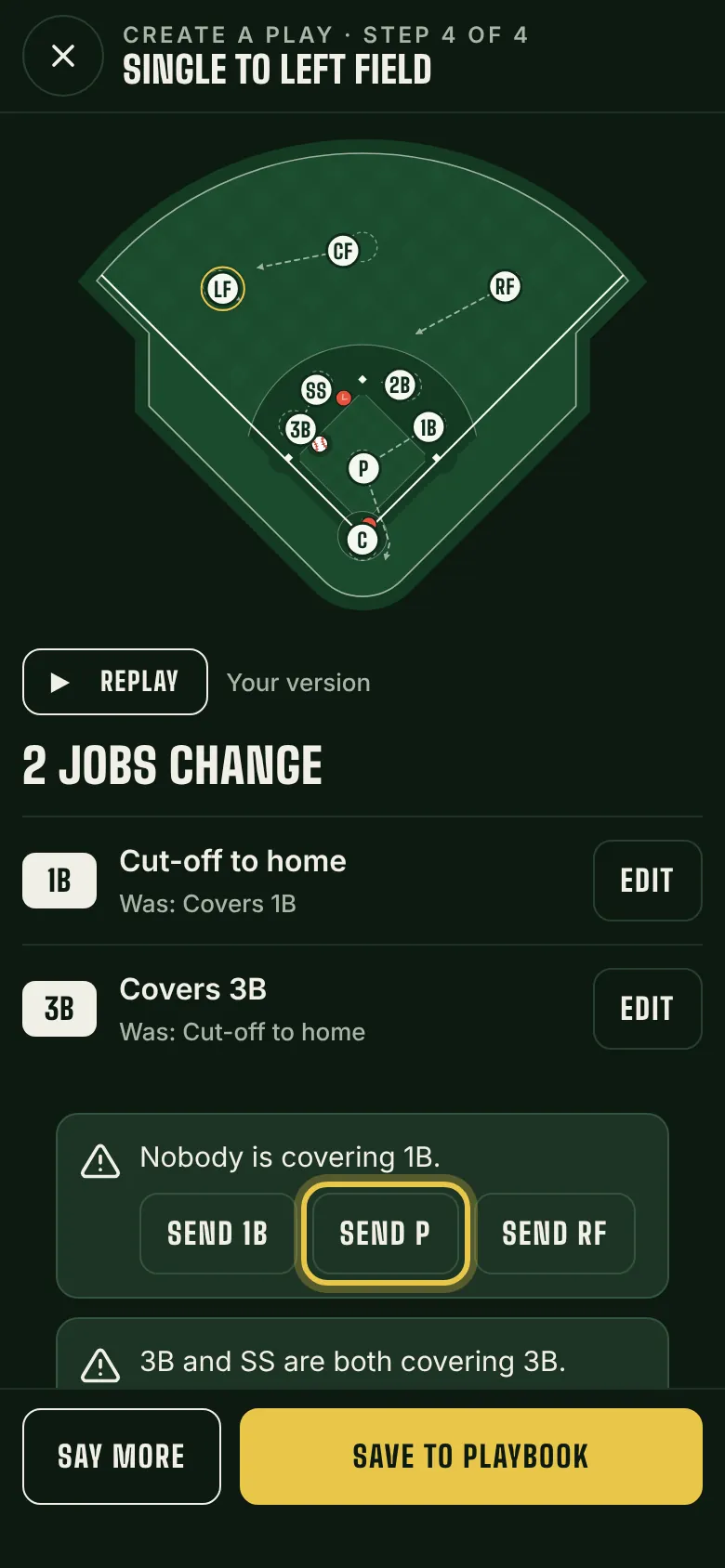
Each player whose job changed is listed with what he used to do. If your change leaves a hole, Playmaker says so (“Nobody is covering 1B”) and offers a fix with one tap. Tap Edit on any player to change his job by hand.
-
Step 6: Save it to your Playbook
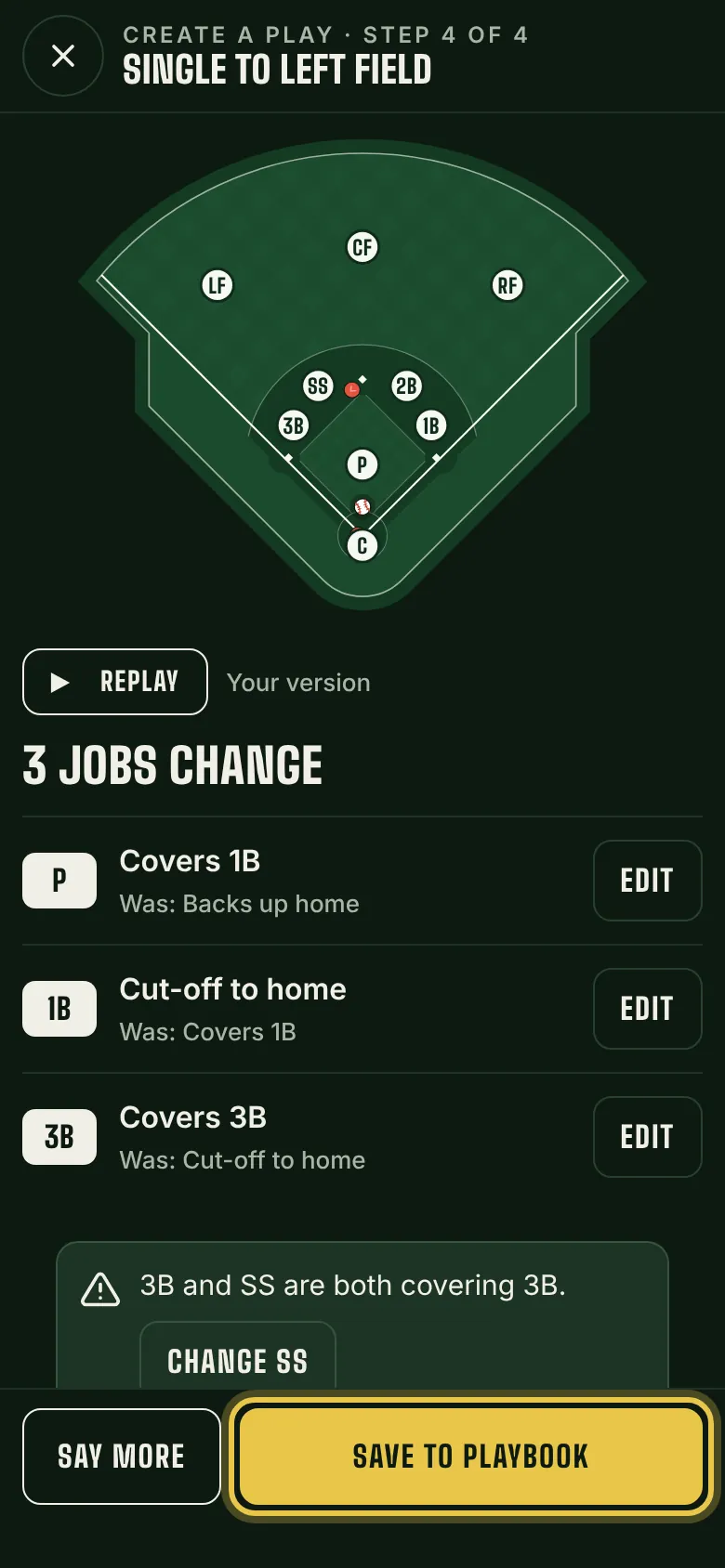
Tap Replay to watch your version, then Save to playbook.
-
Step 7: Assign it
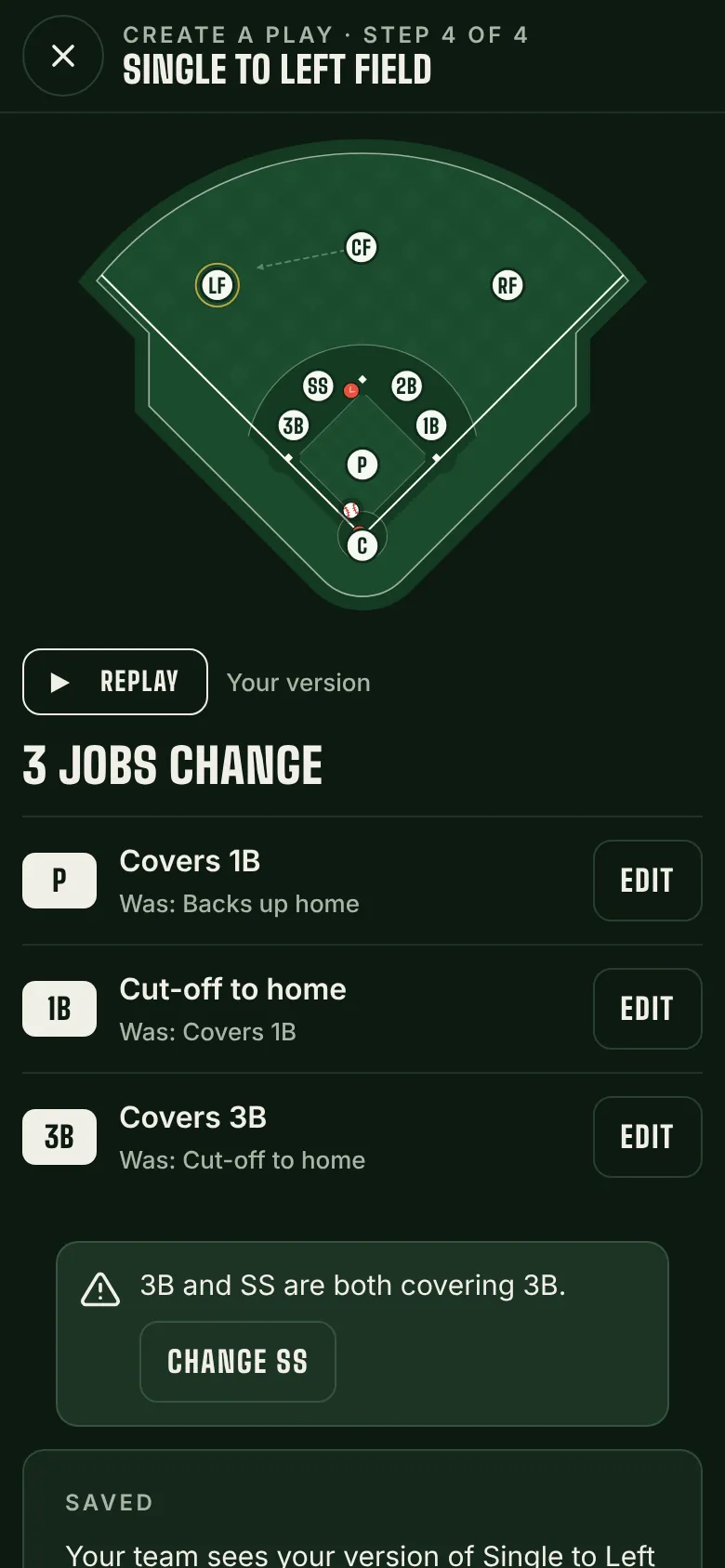
Saved. Tap Assign it to the team to put it on every player’s list, or change another play.
-
Step 8: Your play is in the Playbook
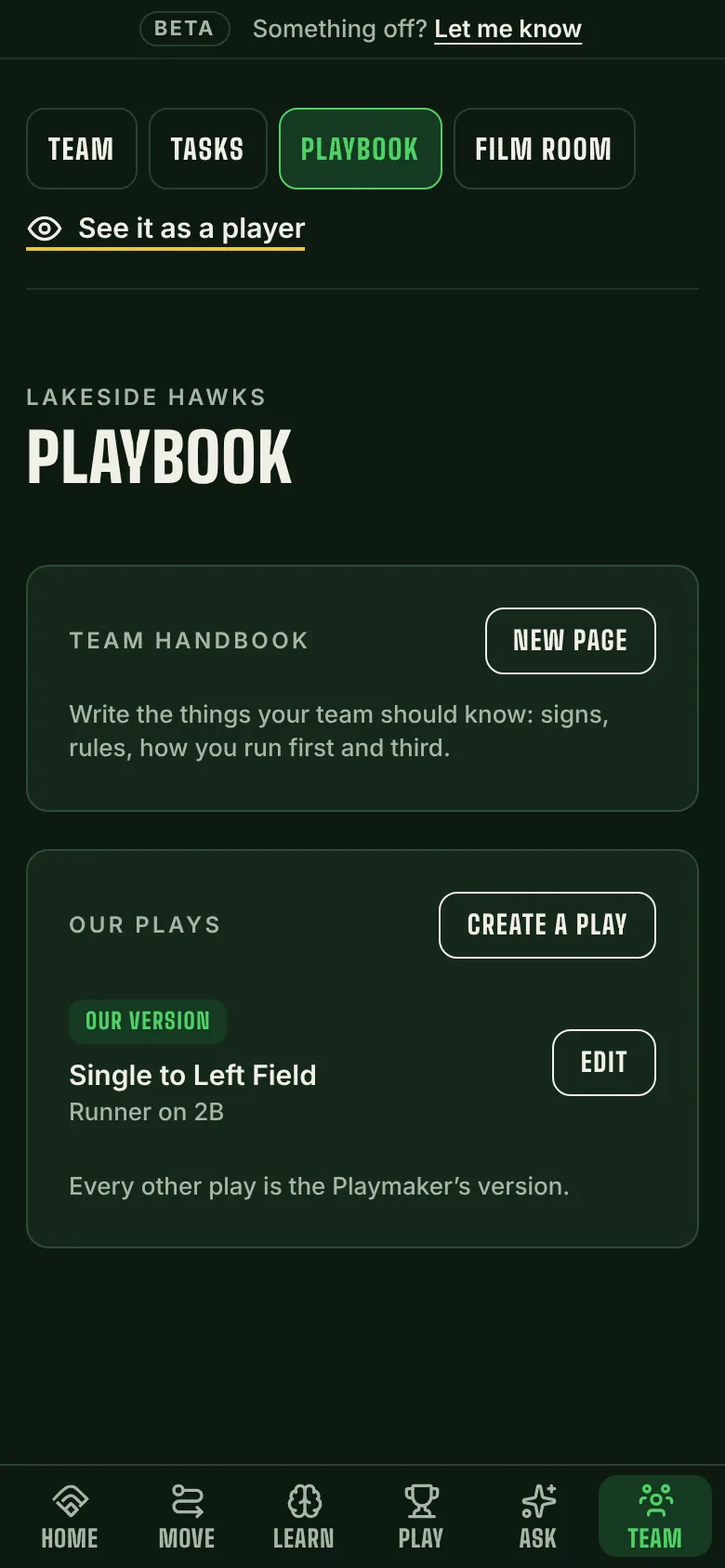
It’s marked Our version. Your players see it in Move, in their tasks and in Learn questions about that play. Every other play stays Playmaker’s.
Good to know
- If Playmaker later updates a play you changed, you’ll see “The Playmaker updated this play” with Keep mine or Use the Playmaker’s.
- You can also start from Move: open the play, tap the coach button, and change it there.
Read more
More how-tos
- How do I build my team playbook?Your Playbook holds two things: handbook pages (your signs, rules and how you run things) and the plays you made your own. Players read both on the team page.
- How do I assign work to my team before practice?On your team page, tap New task, pick what it is (a play, a lesson, a game, a question or a clip), set a due date and add a note. It goes on every player’s start page.
- How do I teach a play with Move?Open Move, pick the runners, the hit and where it goes, and press Play. Every player moves to his spot, and Show jobs explains each one’s job.
Completely free
Open your team page
Works in any phone or computer browser. Nothing to install.