For coaches
How do I invite my players, parents and coaches?
Share your team link. Everyone who opens it signs in, says who they are, and lands on your team. Assistant coaches get their own invite.
-
Step 1: Share the team link
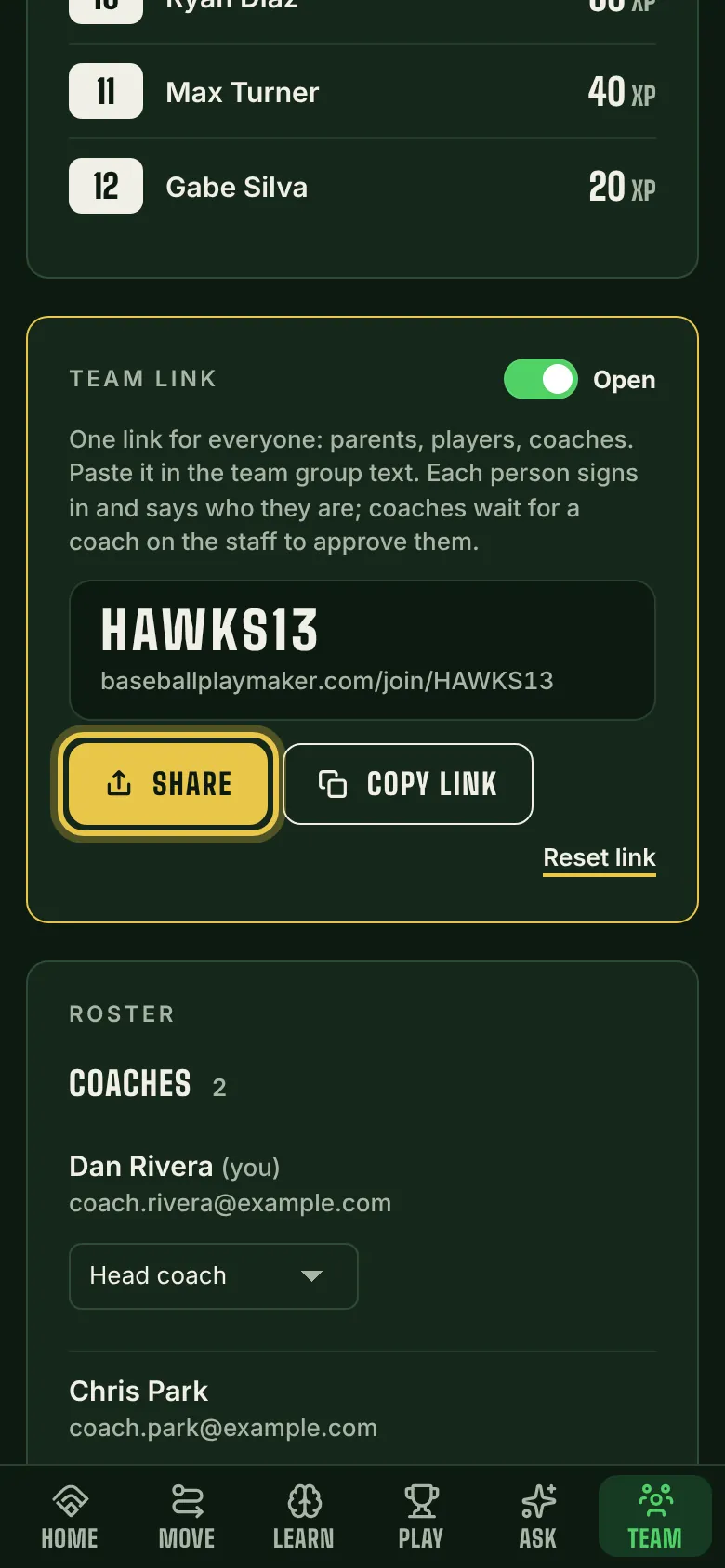
On your team page, find Team link. Tap Share to send it in a text or group chat, or Copy link to paste it anywhere. The code under the team name works too: people can type it in the app.
-
Step 2: What they see
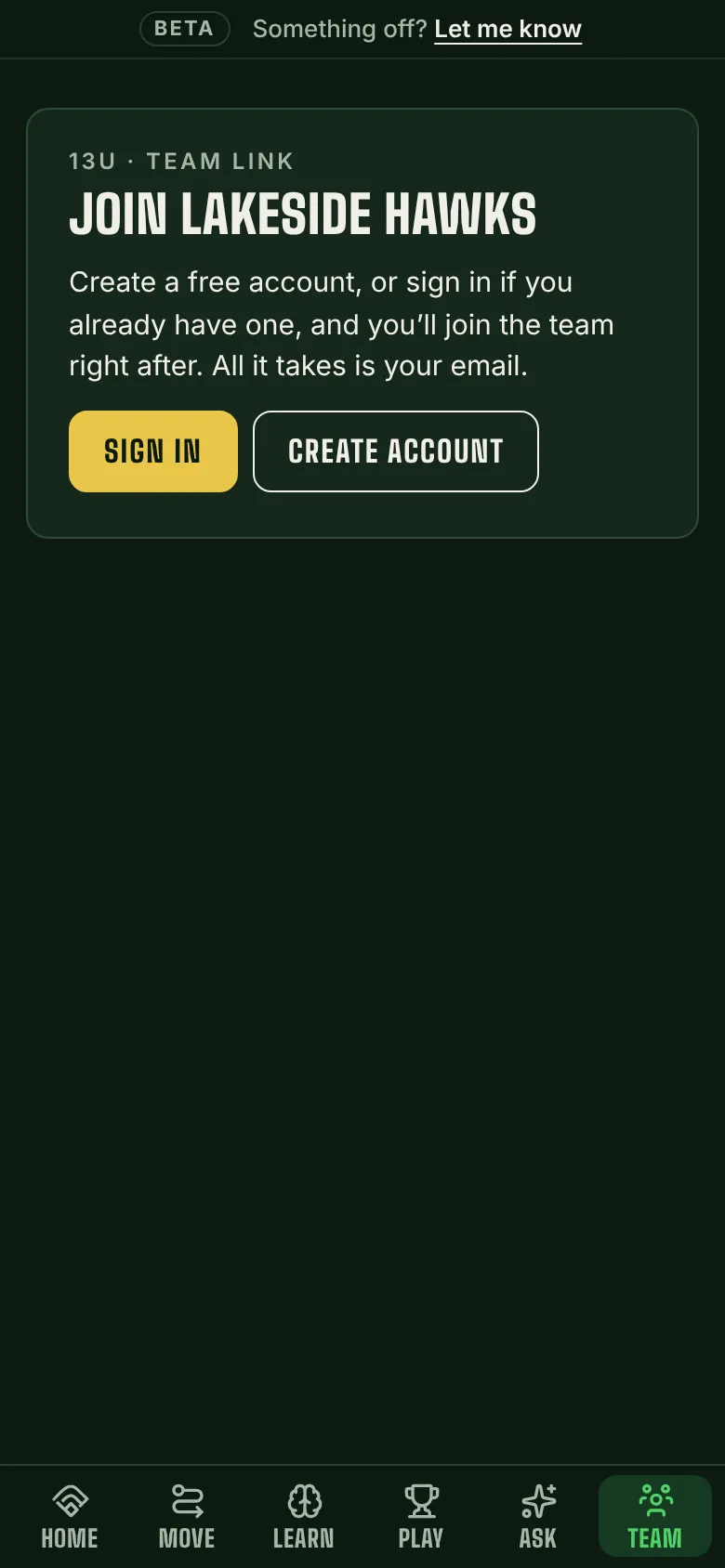
The link opens your team’s card. A new player taps Create account; someone who already has one taps Sign in. Either way, they’re on your team as soon as they’re in.
-
Step 3: Invite your assistant coaches
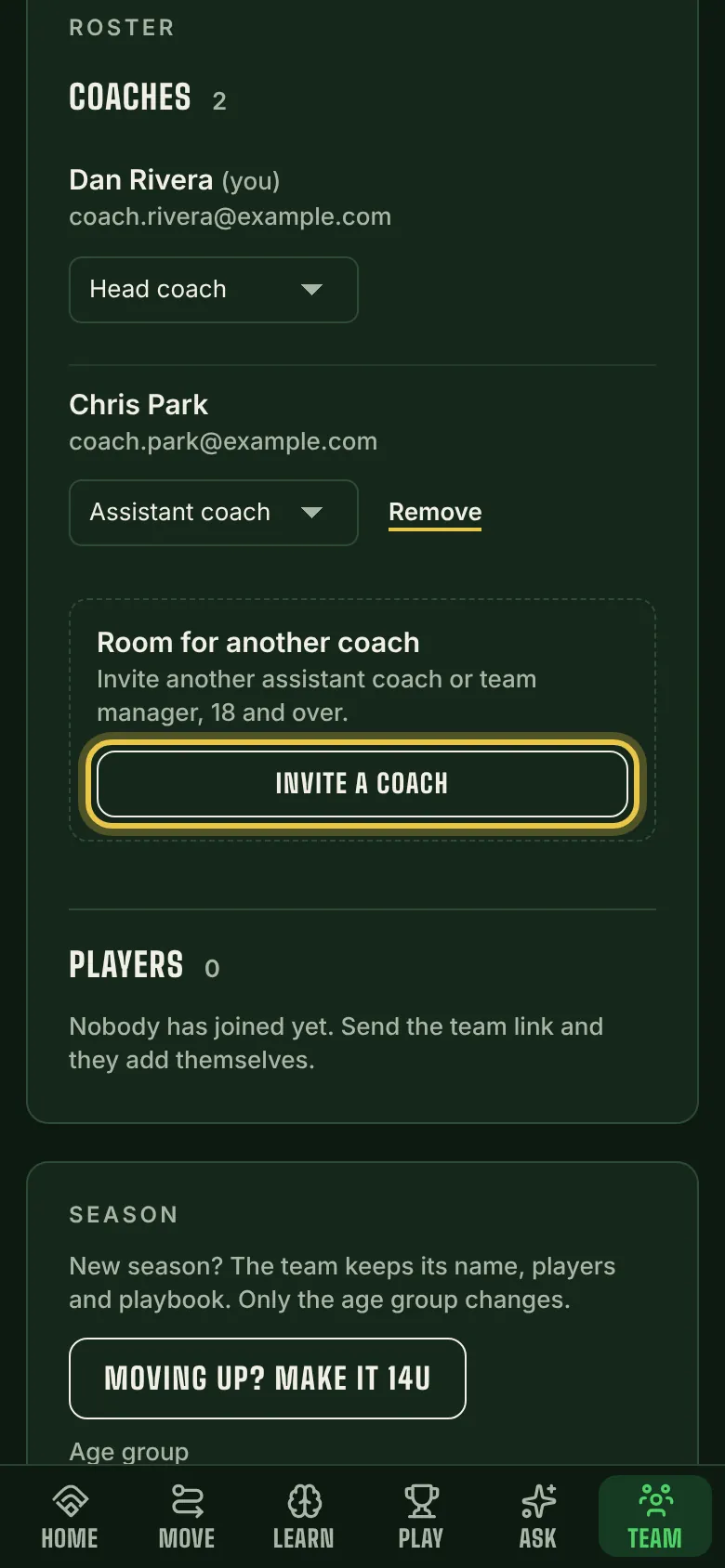
Under Roster, tap Invite a coach and enter their email. Coaches must be 18 or older. Each one you add shows up under Coaches with their title.
-
Step 4: Watch the roster fill up
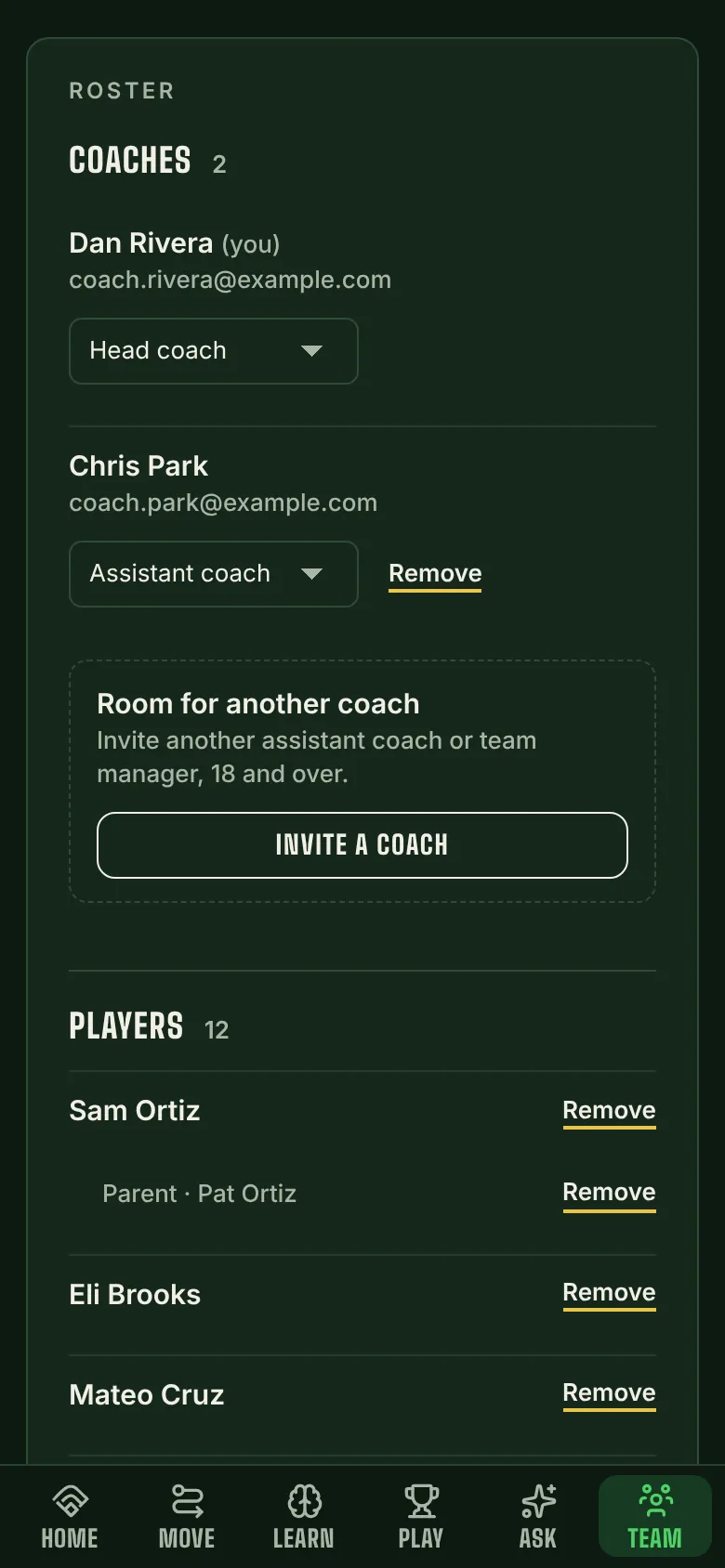
Players appear under Players as they join, with their parents listed under them. You can remove anyone who joined by mistake.
Good to know
- Turn the team link off once everyone has joined, and back on when someone new arrives. Reset link gives you a new one if the old one got passed around.
- A team holds 16 players and 5 coaches.
Read more
More how-tos
- How do I start a team page?Sign up as a coach, name your team, pick the age group and tap Create. You get one team link that your players, parents and coaches use to join.
- How do I manage my roster and start a new season?Tap Manage team to change a coach’s title, remove someone or invite a coach. A new season keeps the team and its playbook; only the age group changes.
- How do I join my team on Baseball Playmaker?Open the team link your coach sent and sign in. You’re on the team. No link? Type your team’s code in the app instead.
Completely free
Open your team page
Works in any phone or computer browser. Nothing to install.