For coaches
How do I manage my roster and start a new season?
Tap Manage team to change a coach’s title, remove someone or invite a coach. A new season keeps the team and its playbook; only the age group changes.
-
Step 1: Manage the roster
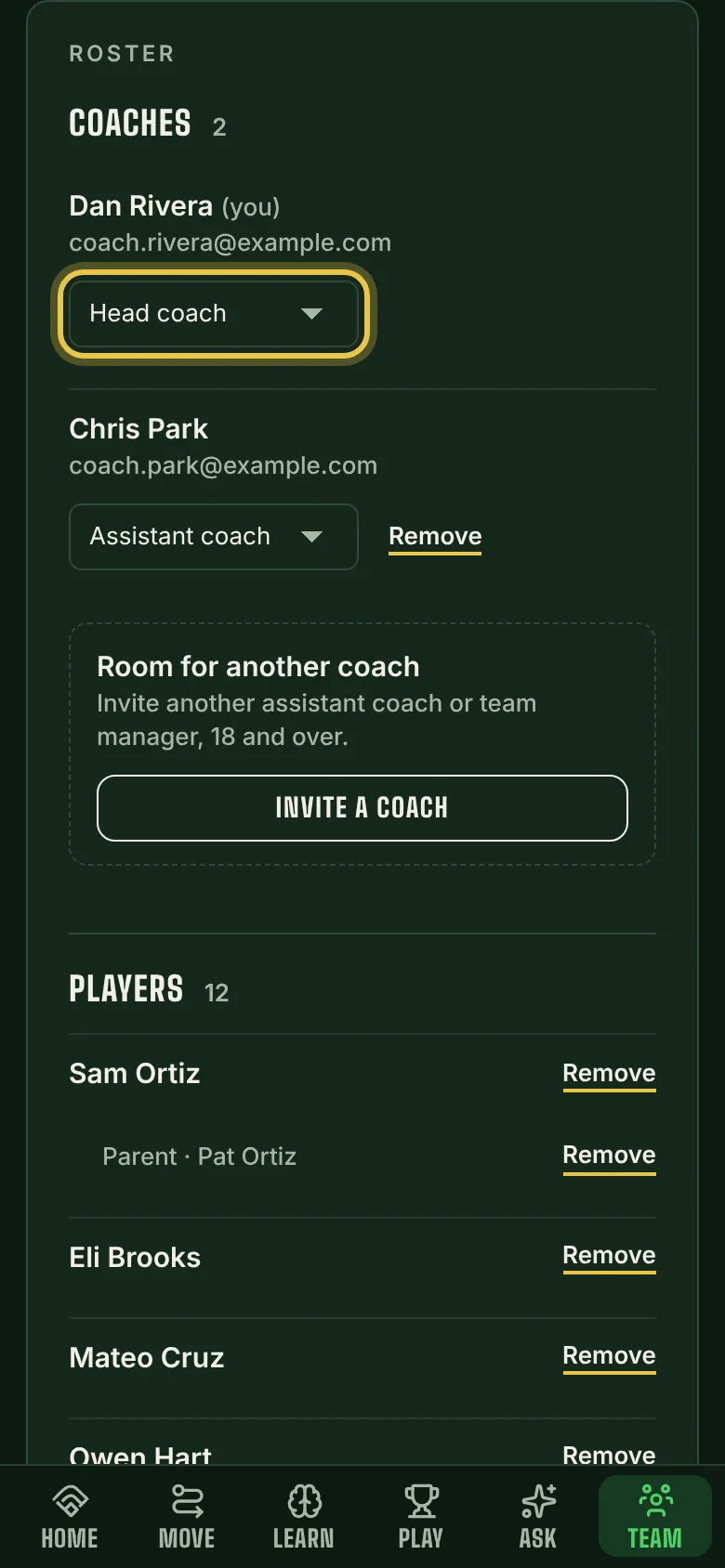
On your team page, tap Manage team. Change a coach’s title from the list, or tap Remove next to anyone who shouldn’t be on the team.
-
Step 2: Start a new season
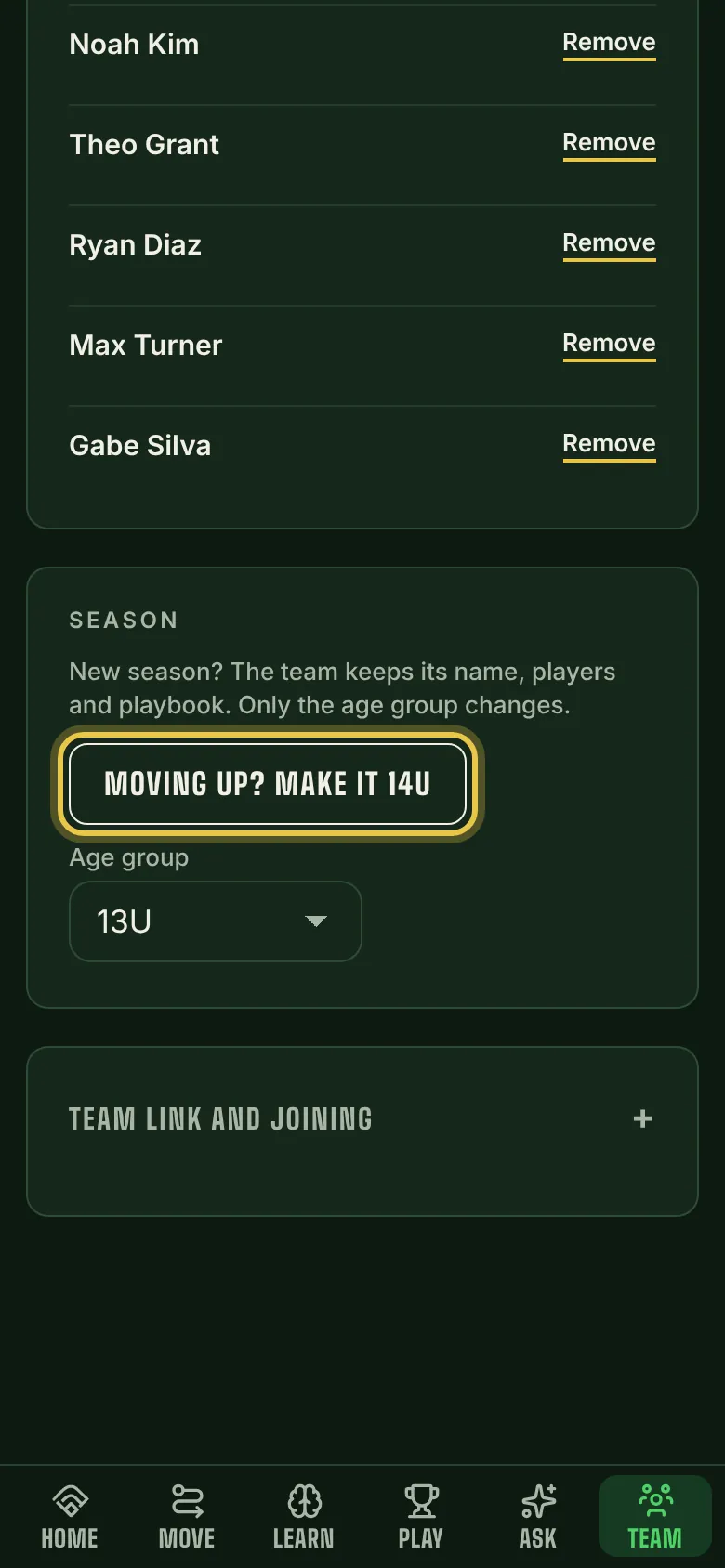
Under Season, tap Moving up? Make it 14U (or pick any age group). The team keeps its name, players and playbook.
-
Step 3: See it as a player
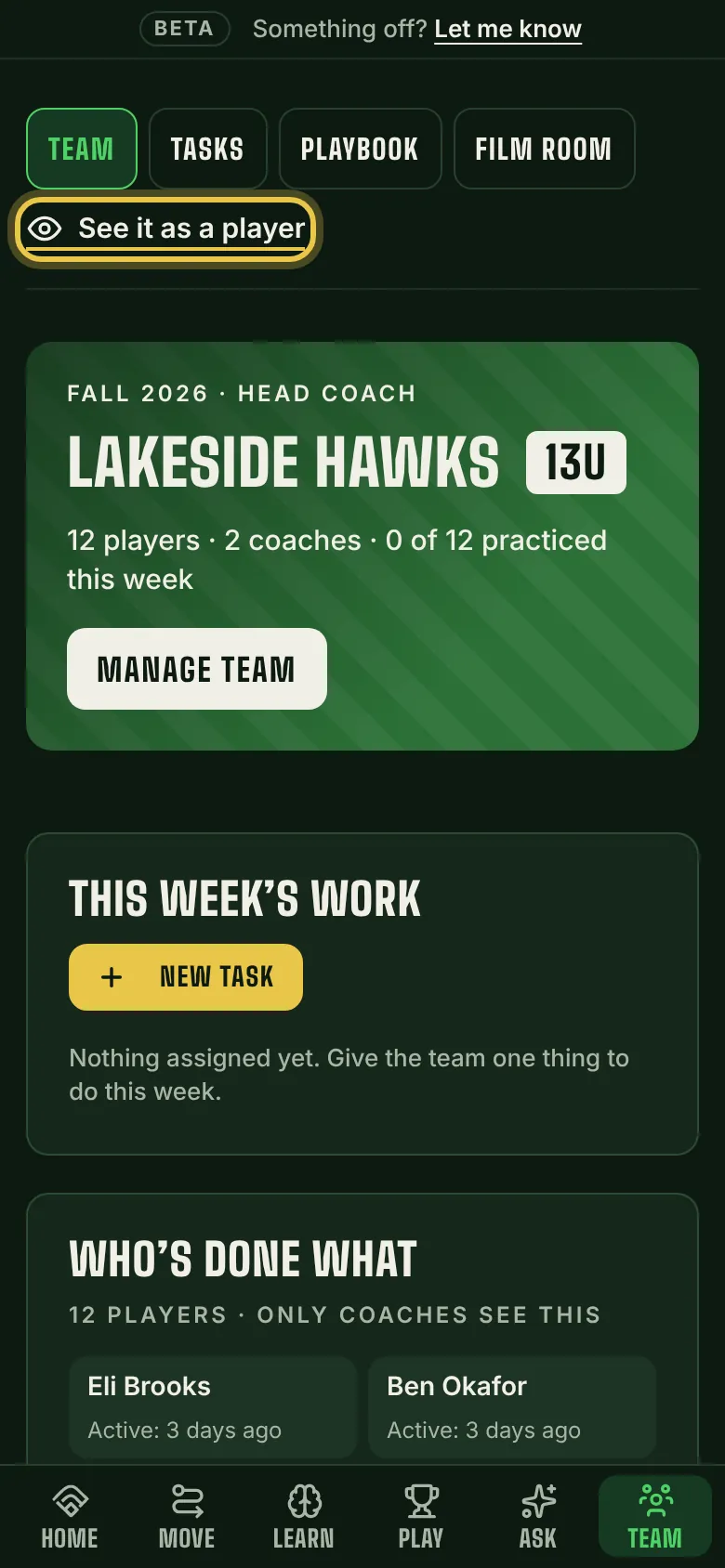
Tap See it as a player at the top of any team page.
-
Step 4: Check what your players see
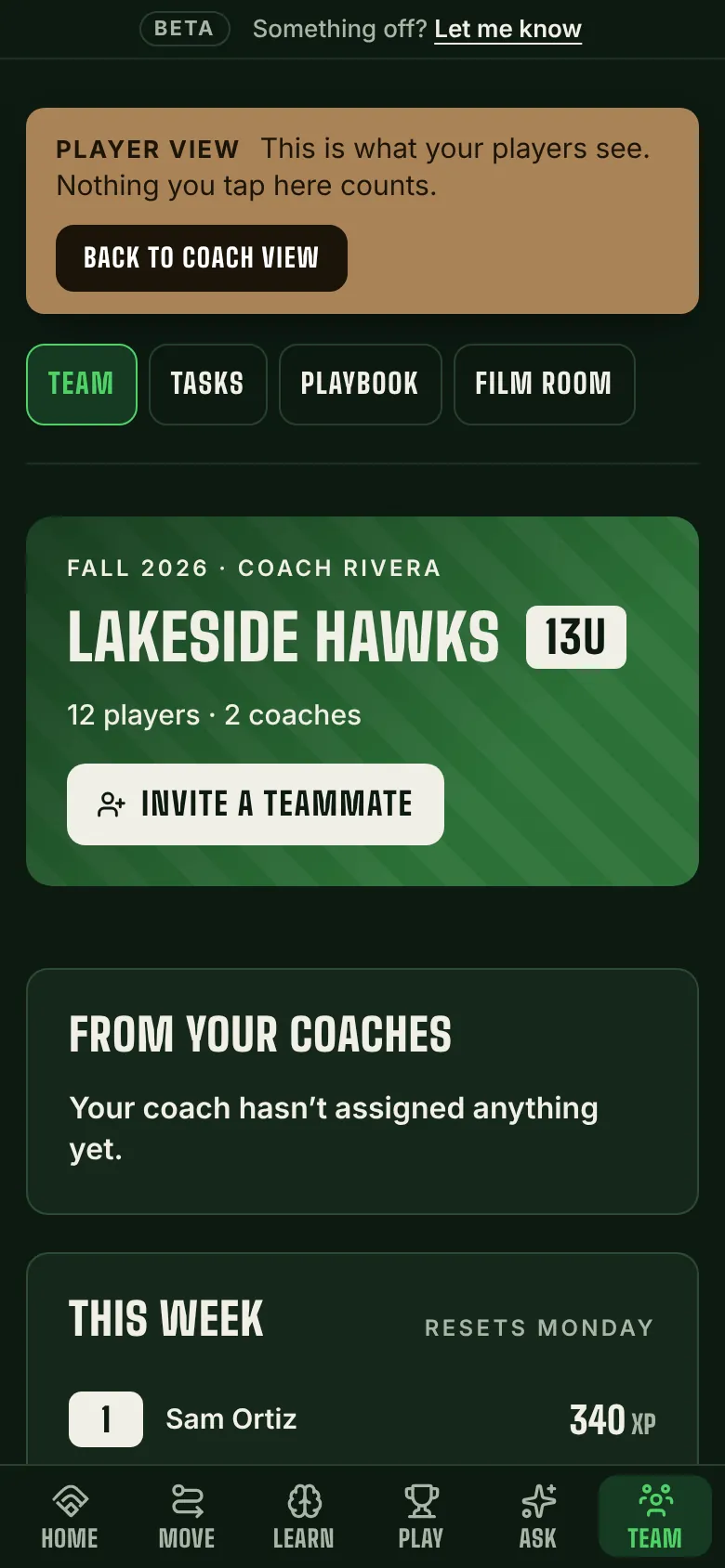
The team page shows exactly what a player sees. Tap Back to coach view when you’re done.
Good to know
- The head coach can change titles and remove coaches. Assistants can manage players.
More how-tos
- How do I invite my players, parents and coaches?Share your team link. Everyone who opens it signs in, says who they are, and lands on your team. Assistant coaches get their own invite.
- How do I start a team page?Sign up as a coach, name your team, pick the age group and tap Create. You get one team link that your players, parents and coaches use to join.
- How do I build my team playbook?Your Playbook holds two things: handbook pages (your signs, rules and how you run things) and the plays you made your own. Players read both on the team page.
Completely free
Open your team page
Works in any phone or computer browser. Nothing to install.