For parents
How do I give my account to my player when he turns 13?
On your profile, tap Hand this account to my player, enter his email and birthday, and type the code we send him. His progress, streak and team stay with the account.
-
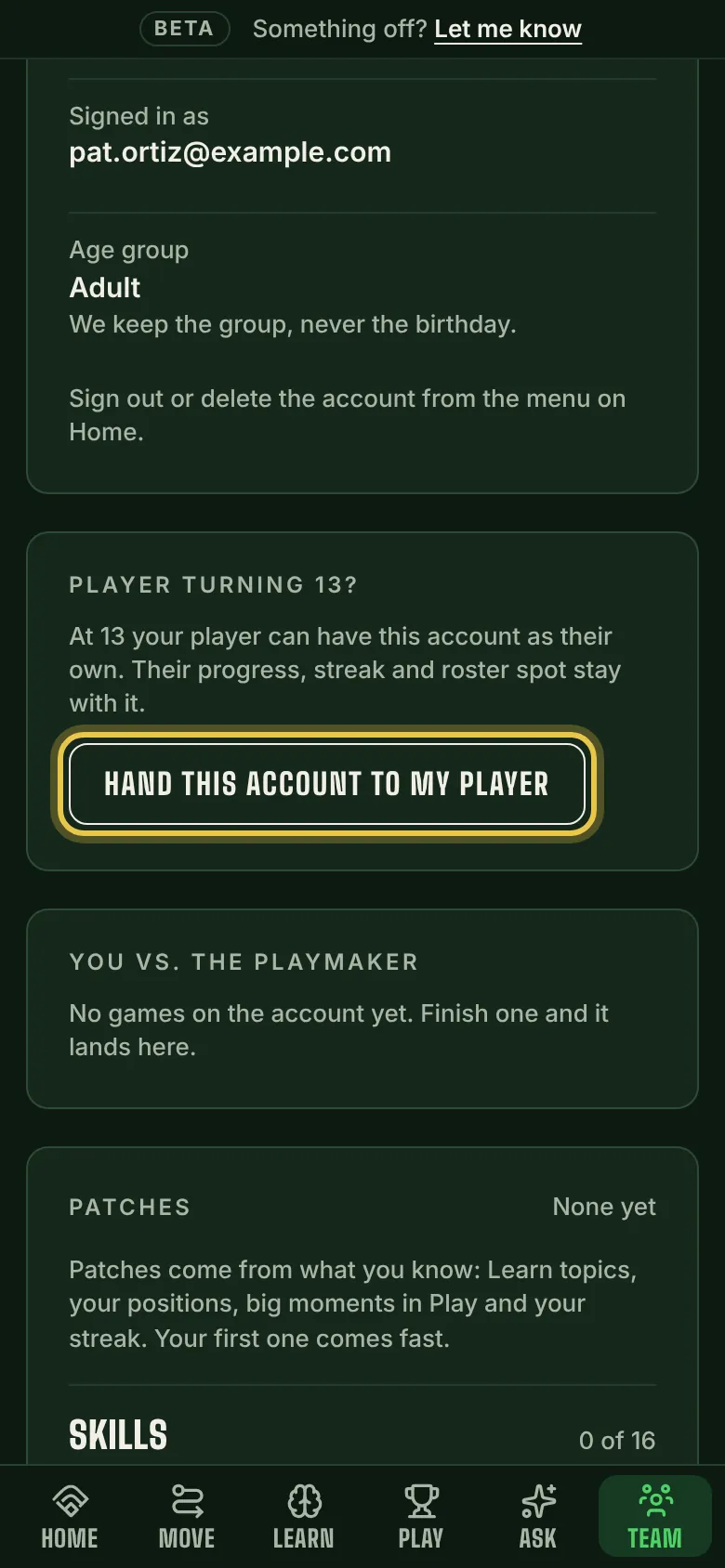
Step 1: Tap Hand this account to my player
Open your profile. Under Player turning 13?, tap Hand this account to my player.
-
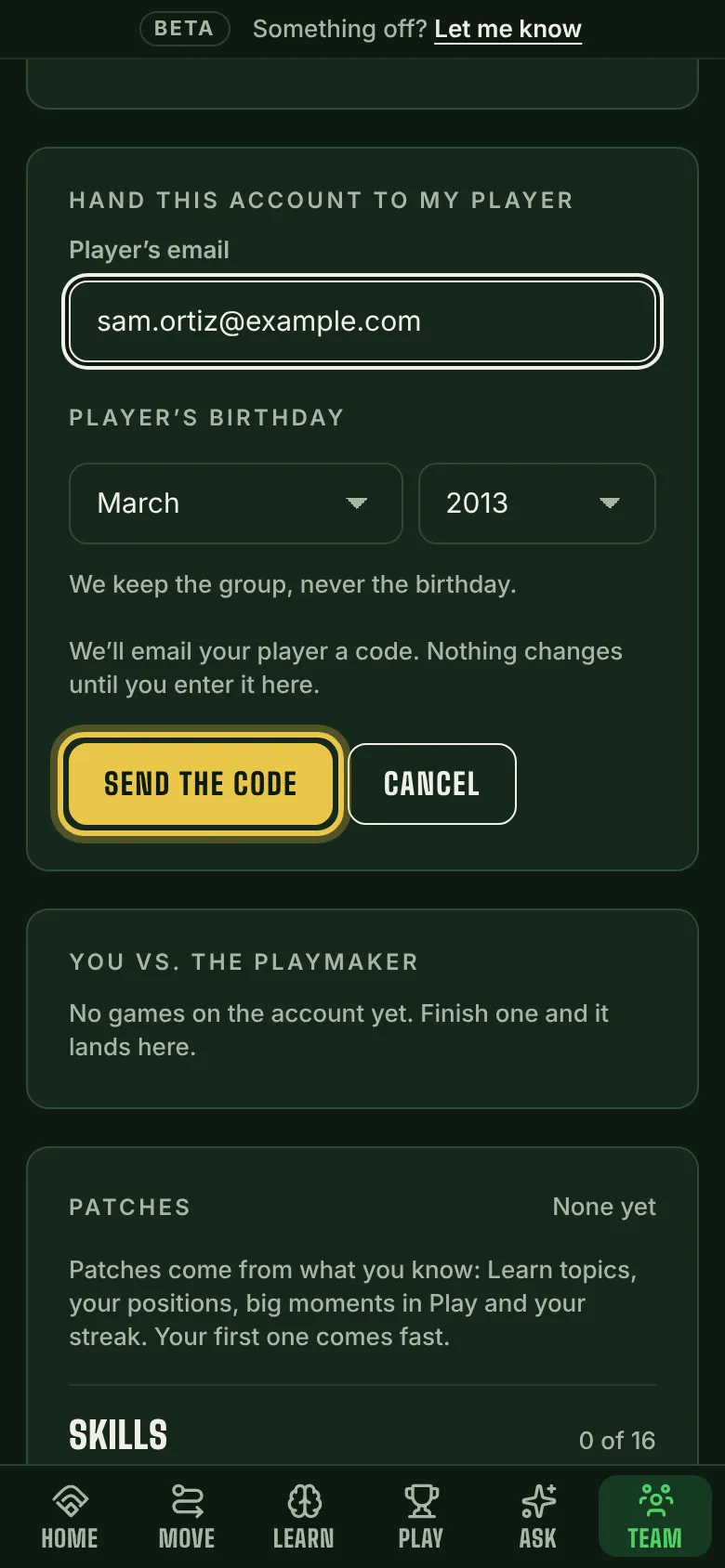
Step 2: Enter his email and birthday
Type your player’s own email and his birth month and year. He has to be 13. Tap Send the code.
-
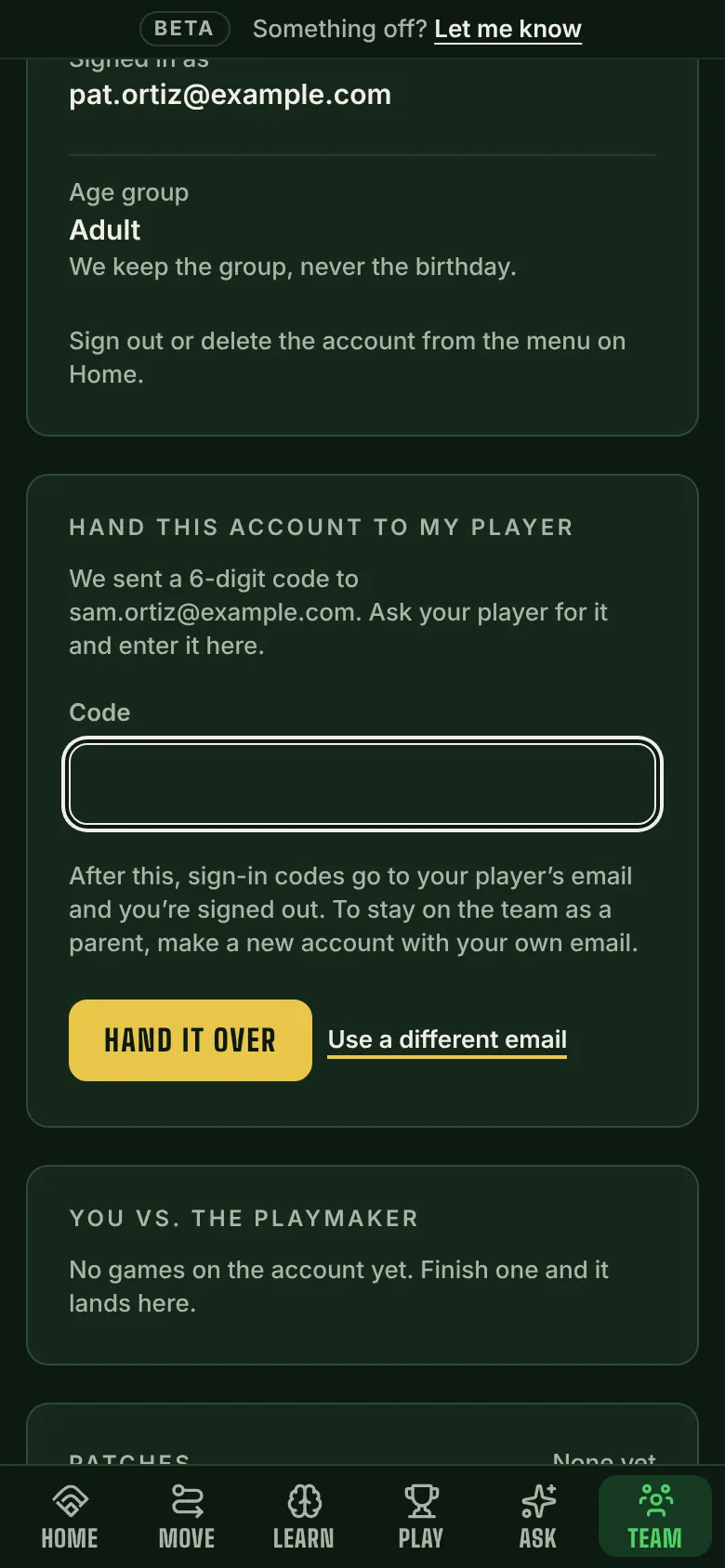
Step 3: Type the code he got
We email a 6-digit code to your player. Ask him for it, type it here and tap Hand it over. Nothing changes until you do.
Good to know
- The account signs in with his email from then on, and you’re signed out. To stay on the team as a parent, make a new account with your own email and open the team link again.
- The code lasts 30 minutes.
Read more
More how-tos
- How do I make a parent account and join my player’s team?Make an account and choose Parent. Then open the team link from your player’s coach. You’ll see your own player’s tasks, and nobody else’s.
- Can my child under 13 use Baseball Playmaker?Yes, on your account. Playmaker accounts are for 13 and up, so a younger player plays signed in as you, and the account becomes his when he turns 13.
- How do I make a Baseball Playmaker account?Tap Sign in, then New account, and enter your name and email. Type the 6-digit code we email you, then tell us you’re a player and your birth month and year.
Completely free
Open your profile
Works in any phone or computer browser. Nothing to install.